Getting Started

A Step-by-Step Guide on Getting Started with BulkMail

Begin with a 20-credit test account, then use these guides to organise your list and prepare your first campaign. Complete the sign-up and data health approval steps before live sending.

BulkMail onboarding and first-campaign setup

Your 3-Phase Onboarding Path

Follow these steps in order to build confidence and make the most of BulkMail's powerful features.

Phase 1: Setup Foundation

Complete steps 1-2 to create your list and import contacts correctly.

Phase 2: Build and Send

Complete steps 3-5 to launch your first campaign from account setup to send.

Phase 3: Deliverability and Compliance

Complete steps 6–9 to review permission-based sending, list quality and delivery checks.

Phase 1: Set Up Your Audience Foundation

Learn how to build a targeted and organised email list so your campaigns reach the right audience from day one.
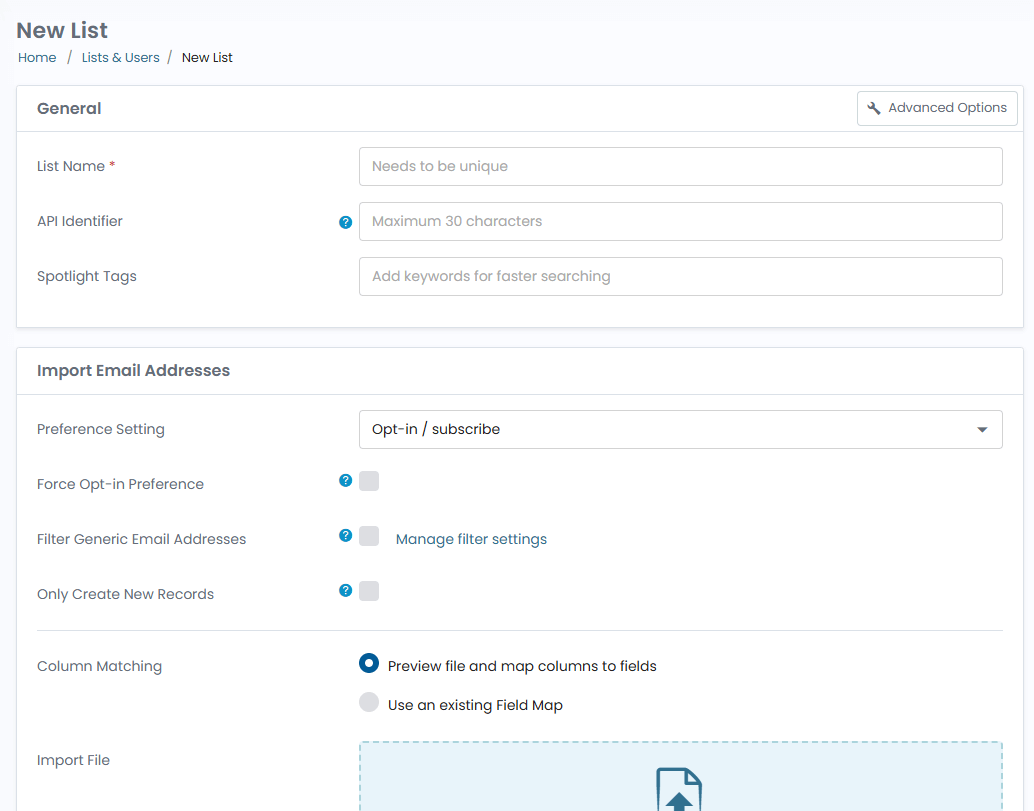
Create and import contacts in BulkMail

Phase 2: Build and Launch Your First Campaign

Use these guides to move from campaign planning to sending with confidence.
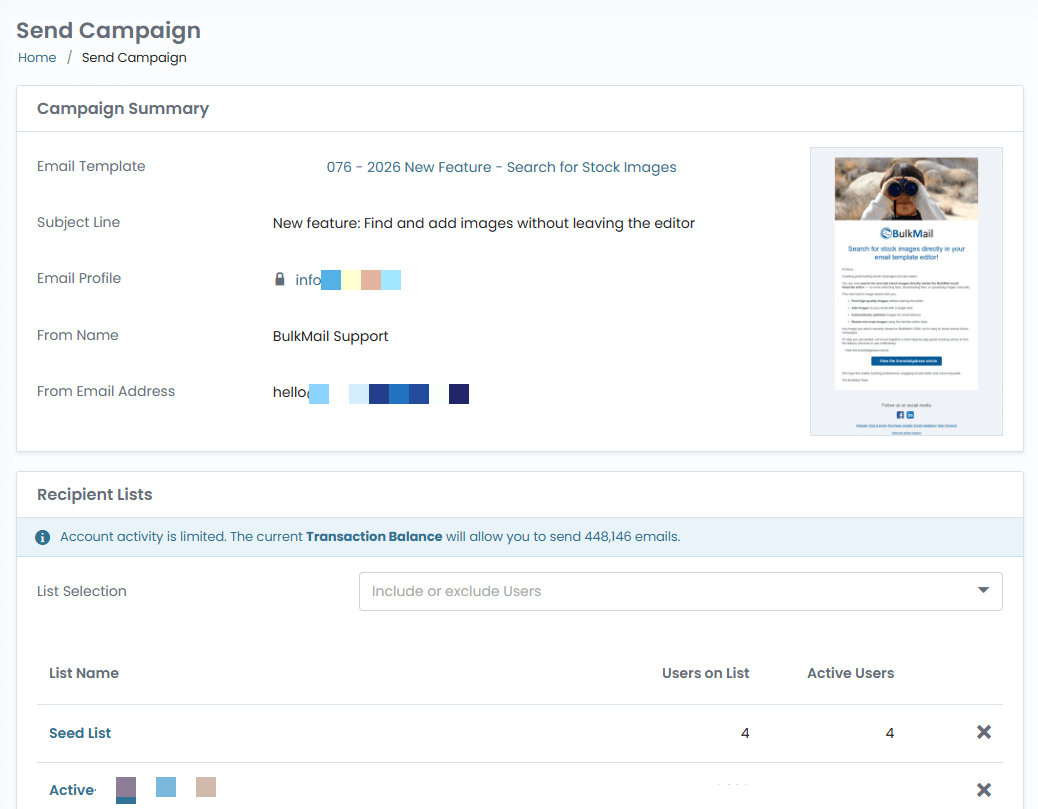
Create and send your first BulkMail campaign

Phase 3: Review permission and delivery readiness

These final steps help you protect sender reputation and improve campaign outcomes before and after every send.

Check your sender setup and unsubscribe journey

Before live sending, work through this checklist with the person who manages your domain. Ask BulkMail support for the records and setup instructions specific to your account.

  • Configure SPF, DKIM and DMARC for your sending domain. Use the values supplied for your account and review existing senders with your domain administrator before changing DNS.
  • After setup, inspect an authorised test message's authentication results. Check that DMARC passes and the visible From domain aligns with SPF or DKIM. Authentication supports delivery; it does not guarantee inbox placement.
  • Include a clear unsubscribe link and test it using your own test contact. In Lists & Users, open that test contact and check Email Preferences, list membership and suppression status. Check the assigned Email Profile and opt-out page too. Follow the knowledgebase's unsubscribe troubleshooting steps. Ask support to verify one-click unsubscribe headers; a footer link alone is not the same feature.
  • Keep permission records and preserve unsubscribes when importing updated lists. List cleaning does not give you permission to email someone. Review BulkMail's list-hygiene guidance before importing.

You're ready to launch with confidence

Our South African team provides support Monday–Friday, 09:00–14:00 South African time (UTC+2), in English and Afrikaans.

Structured OnboardingClear sequence from setup to first send
Deliverability FocusBest-practice checks before every campaign
South African SupportEnglish and Afrikaans; Monday–Friday, 09:00–14:00 South African time
Create Free Account

Account, payment and support questions

What does the free account include?

Test the full platform with 20 free email credits and a limit of 20 email addresses. Trial accounts are removed after 90 days.

Do purchased credits expire, and are there monthly plans?

Buy email credits as needed. Purchased credits do not expire, and there are no monthly plans.

Which payment methods can I use?

International customers can pay by credit card. South African customers can pay by credit card or other local payment methods available at checkout.